Apple TV & Android TV
atreoLINK runs on Apple TV (tvOS), Android TV, and Fire TV (gen 3 and newer). It’s the same app you use on your phone, with the same account and the same per-app access. The TV builds don’t support push notifications — use your phone for those.
Where to install
Section titled “Where to install”| Platform | Store |
|---|---|
| Apple TV (tvOS) | tvOS App Store, search “atreoLINK”. |
| Android TV / Google TV | Google Play, search “atreoLINK”. |
| Fire TV (3rd gen and newer) | Amazon Appstore, search “atreoLINK”. |


Sign in
Section titled “Sign in”Sign in with the same atreoLINK account you use on your phone. The remote-friendly sign-in screen lets you type your email and password using the on-screen keyboard. Two-factor codes work the same as on your phone.
If you’ve never accepted an invite on the TV before, do it from your phone first — it’s an easier flow there.
What you’ll see
Section titled “What you’ll see”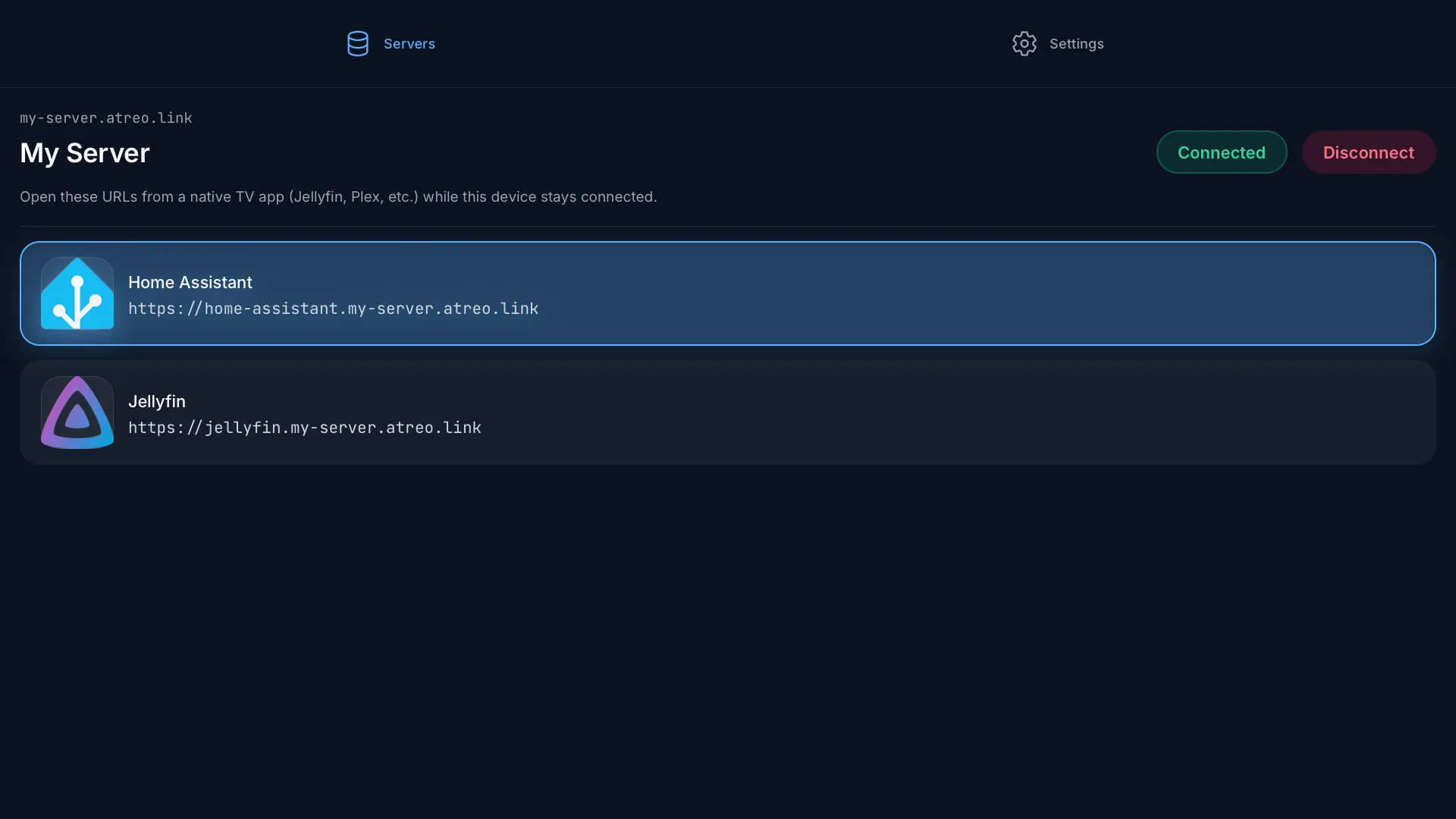
The TV layout puts the tabs at the top of the screen. There are two tabs:
- Servers. Your servers and their apps.
- Settings. Sign out, app version.
There’s no Notifications tab. tvOS and Android TV don’t support push notifications. Use your phone if you want them.
Connecting and the tunnel
Section titled “Connecting and the tunnel”Pick a server, press Connect, and the TV brings up the WireGuard tunnel. The tunnel runs in the background while you watch, even when the atreoLINK app isn’t on screen. You can switch to your media app, the tunnel stays up.
On the same account on multiple devices: the tunnel is per-device. Connecting on the Apple TV doesn’t take down the tunnel on your phone.
Opening apps
Section titled “Opening apps”The TV apps don’t include an in-app browser. Tapping a tile shows the app URL as text — or, for an exposed-port app, the server’s host:port. To use the app, open that address on your phone, tablet, or computer — anything else that’s also connected to the tunnel.
For media apps with native TV clients (Plex, Jellyfin, Emby, Infuse), open the native client on the TV directly and point it at the per-app URL: e.g. set Jellyfin’s server URL to https://jellyfin.alice.atreo.link. The traffic flows over the tunnel transparently.
Sharing access
Section titled “Sharing access”Apple TV, Fire TV, Android TV, and your phone all use the same atreoLINK account. The server owner invites you once. Every device you sign into picks up the same access automatically.
© 2026 atreoLABS. All rights reserved.
WireGuard is a registered trademark of Jason A. Donenfeld.